Sending Money Made Simple
Enhancing accessibility and convenience: A finance app for easy money transfers among contacts.

Enhancing accessibility and convenience: A finance app for easy money transfers among contacts.

As someone who closely follows the finance industry, I noticed that despite its impressive growth, a significant number of people still struggle with using apps within the industry. In response, I decided to create a straightforward and user-friendly app that directly addresses these issues.
Unlike in 2020, when the business was still having trouble, the future of the financial industry is one of huge growth and will continue to do so. It is anticipated that the market will be worth $439 billion by the end of 2023, $571 billion by 2025, and nearly $1 trillion by 2030.

I performed some research on two apps and discovered the following results:
I ran a survey with individuals who regularly use their finance apps and came up with this:


After conducting the required research and analysis, it was time to begin design, which included low-fidelity wire-frames and flow diagrams.
I came up with a series of flow diagrams that show the user's primary option for sending money to another person.
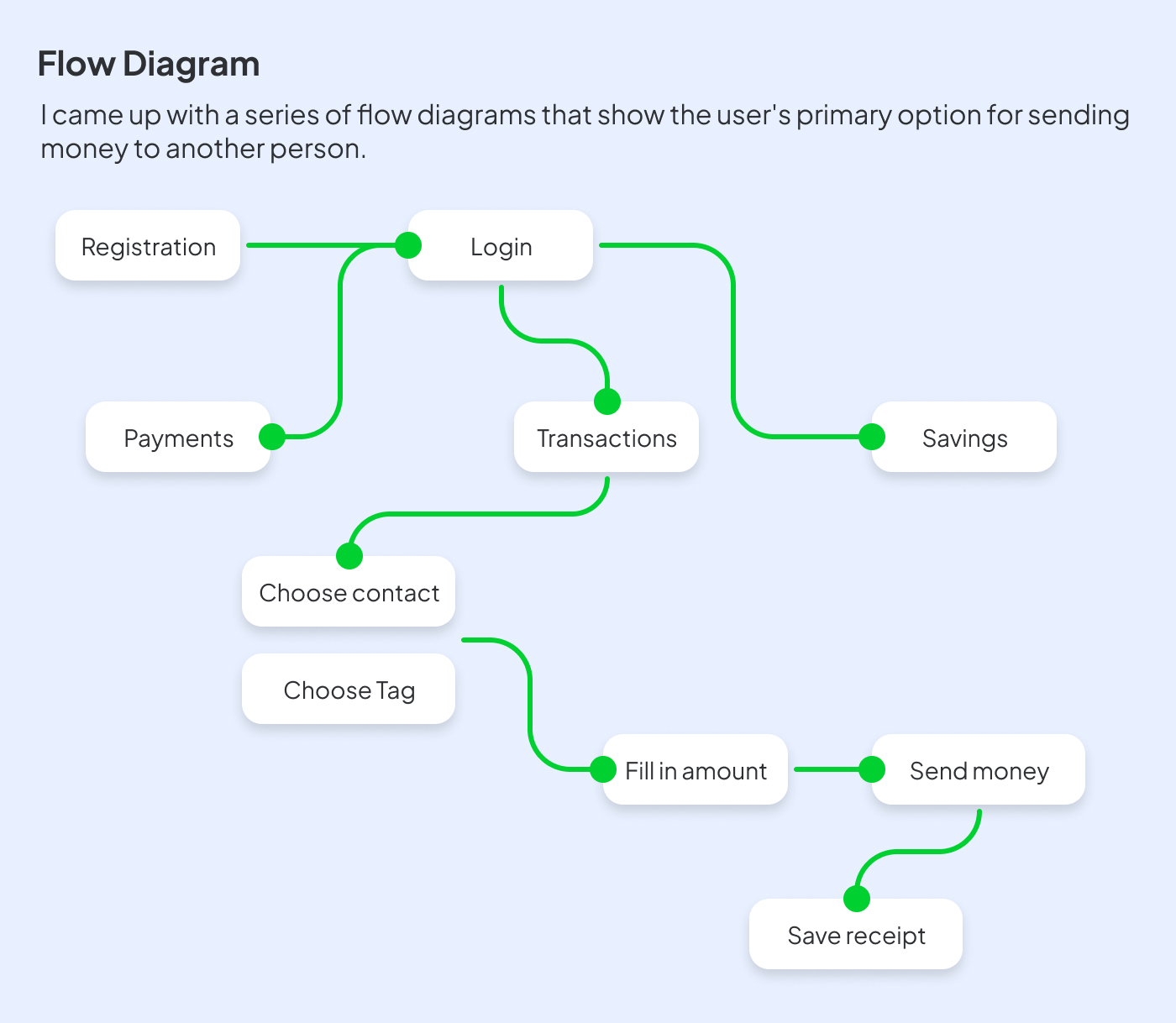
After the flow diagram was finished, I started making low-fidelity wireframes on paper.


After finishing the flows and wire frames, I started selecting colors and fonts that felt appropriate for the project.
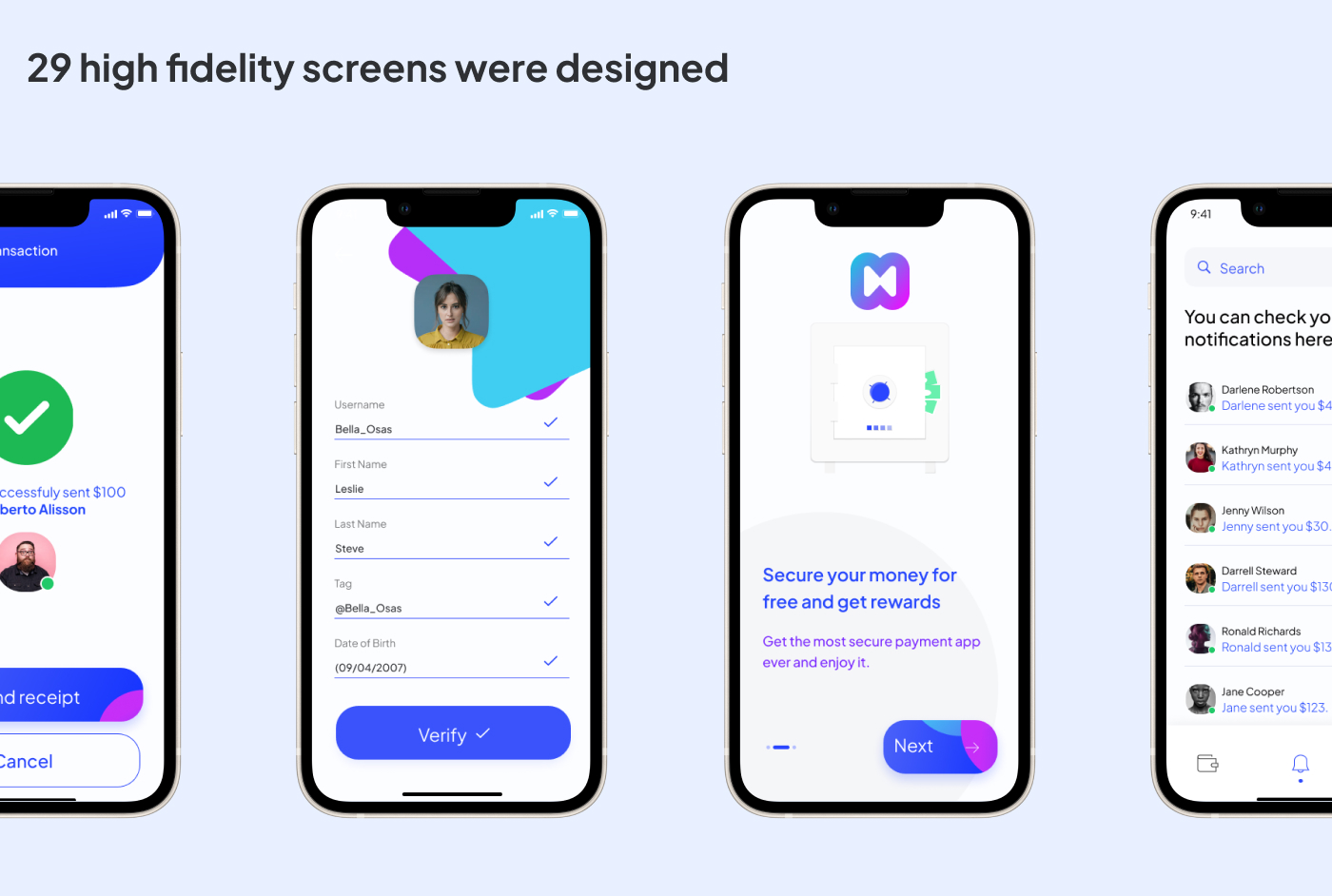
I developed a series of prototypes that I tested on a group of users.

I conducted a prototype testing session with four users, divided into two distinct groups, each assigned a different task. The participants were instructed to perform two tasks:
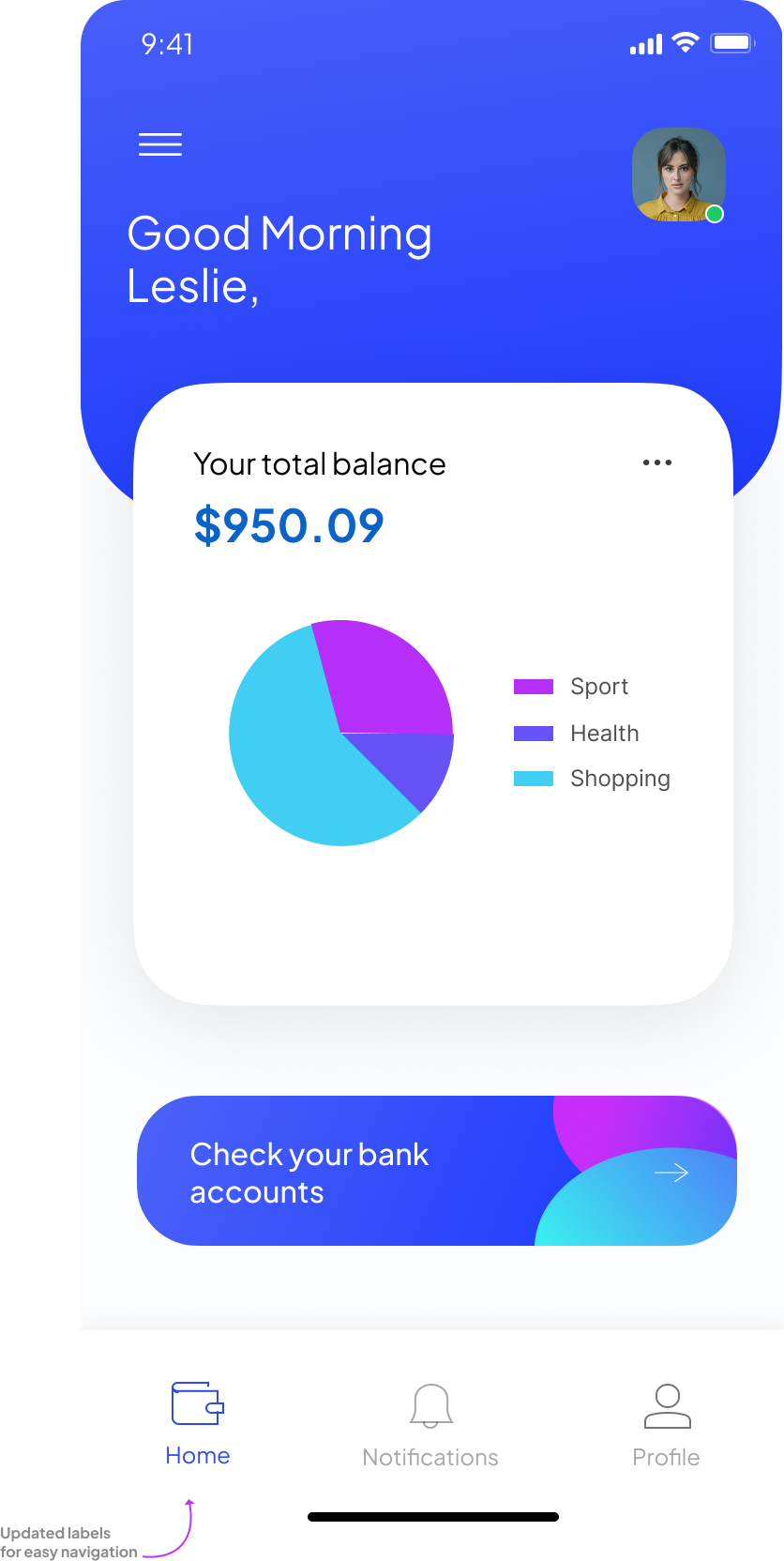
During the testing session, I observed that accessing the notification and home pages was challenging for three out of the four users.
Three users were unable to find the required pages. One of them expressed confusion, stating that they didn't know where to click and that it would have been helpful if there were a clear indication of where they were supposed to go.
For easier navigation within the application, I have come up with a solution that involves changing the captions just below the icons to labels.
Project Summary
This project provided me with the opportunity to learn new concepts such as market research, wire-frames, and running prototypes, among others. Although it was challenging at times, I enjoyed exploring this new world and acquiring new skills that made me curious to learn more.

